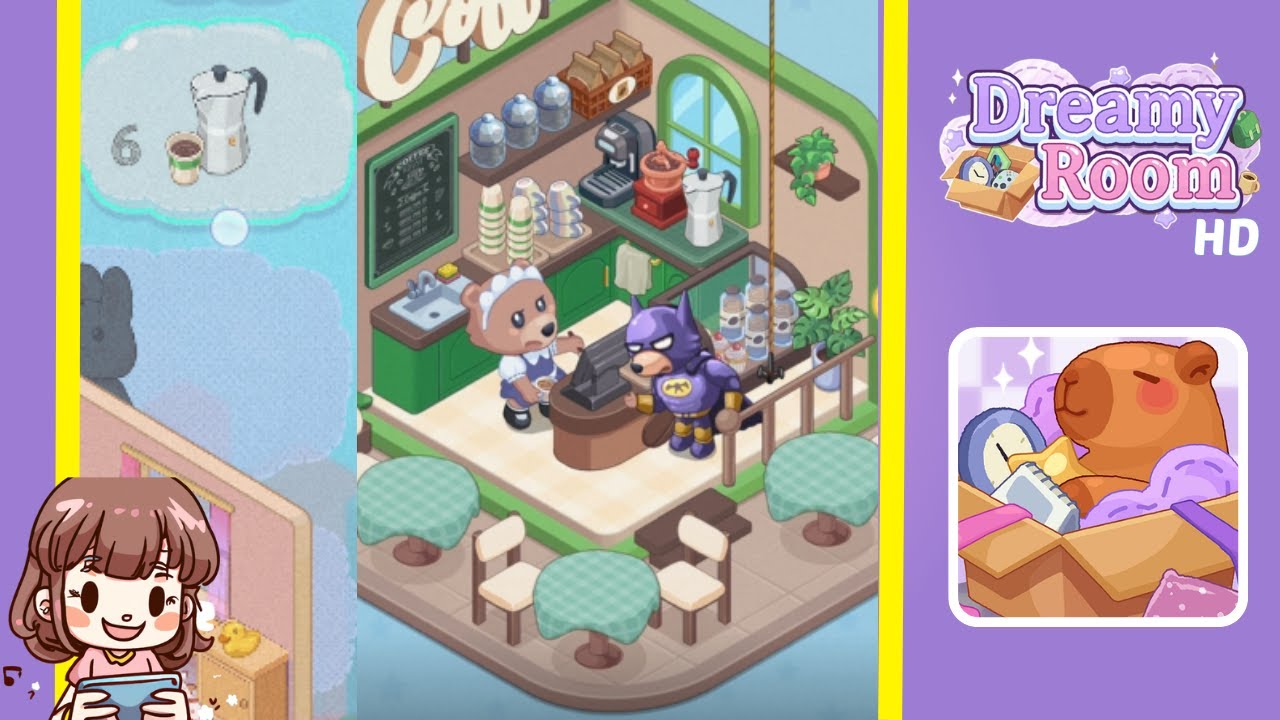
Dreamy Room Level 7 Walkthrough & Guide
Below is a comprehensive walkthrough for Dreamy Room Level 7, guiding you step-by-step from an empty space to the cozy café scene you see in the final image. The main challenge in Dreamy Room Level 7 is ensuring every object is placed precisely where it belongs. Follow these instructions carefully to complete this charming stage.
Step-by-Step Guide
- Install the Green Wall and Window: Begin by placing the tall green-accented wall in the back-left corner of the base. Attach the smaller adjoining wall on the right side, making sure the arched window is centered on this right wall.
- Position the Floor Tiles: Cover the interior floor with light beige tiles. Leave the front outdoor area untiled to clearly differentiate between the interior counter space and outdoor café seating.
- Mount the “Coffee” Sign: Secure the large “Coffee” sign at the top corner where the two walls meet. This sign signals that this cozy nook is indeed a café.
- Hang the Round Café Logo Sign: On the left exterior wall, attach the round café logo sign. Align it so that it hangs just outside the entrance.
- Place the Chalkboard Menu: Inside the café, affix the chalkboard menu on the left wall, just below the “Coffee” sign.
- Set Up the Main Counter: Position the wooden counter near the back wall, slightly to the left, allowing space for the barista and customers.
- Add the Bear Barista Figure: Place the bear barista behind the counter, facing forward to greet customers and handle orders.
- Install the Cash Register: Set the cash register on top of the counter, slightly to the right for clear customer flow.
- Arrange the Coffee Machines and Blender: Line up the coffee machine, grinder, and blender on the back counter for efficient drink preparation.
- Stack the Cups and Containers: On the shelves behind the barista, stack clean cups and containers, with additional cups beside the blender.
- Display the Syrups and Toppings: Place any syrup bottles or topping jars on the shelf next to the coffee grinder.
- Position the Potted Plants: In the front corners, add two potted plants to complement the café’s color scheme and atmosphere.
- Set Up the Outdoor Seating: Arrange the tables and chairs on the tiled sidewalk, ensuring enough space for customer movement.
- Place the Street Lamp: Attach the tall street lamp to the right corner of the outer base to enhance the café's ambiance.
Notes & Precautions
- Spacing Matters: Ensure there's enough room behind the counter for the barista. Reposition overlapping objects if needed.
- Rotate Items Carefully: Some items require rotation to match their orientation in the final image.
- Keep the Aesthetic Consistent: Align all green accents with the walls and furniture.
- Save Progress Often: Accidental resets or misplacements can occur, so save frequently.
Tips & Tricks
- Preview Each Placement: Hover over an item to preview its footprint and avoid overcrowding.
- Use the Grid: Toggle the grid view to align furniture perfectly with the walls and floor.
- Group Items: Keep similar items together to streamline organization.
- Experiment with Lighting: Position the street lamp early to see objects under different light conditions.