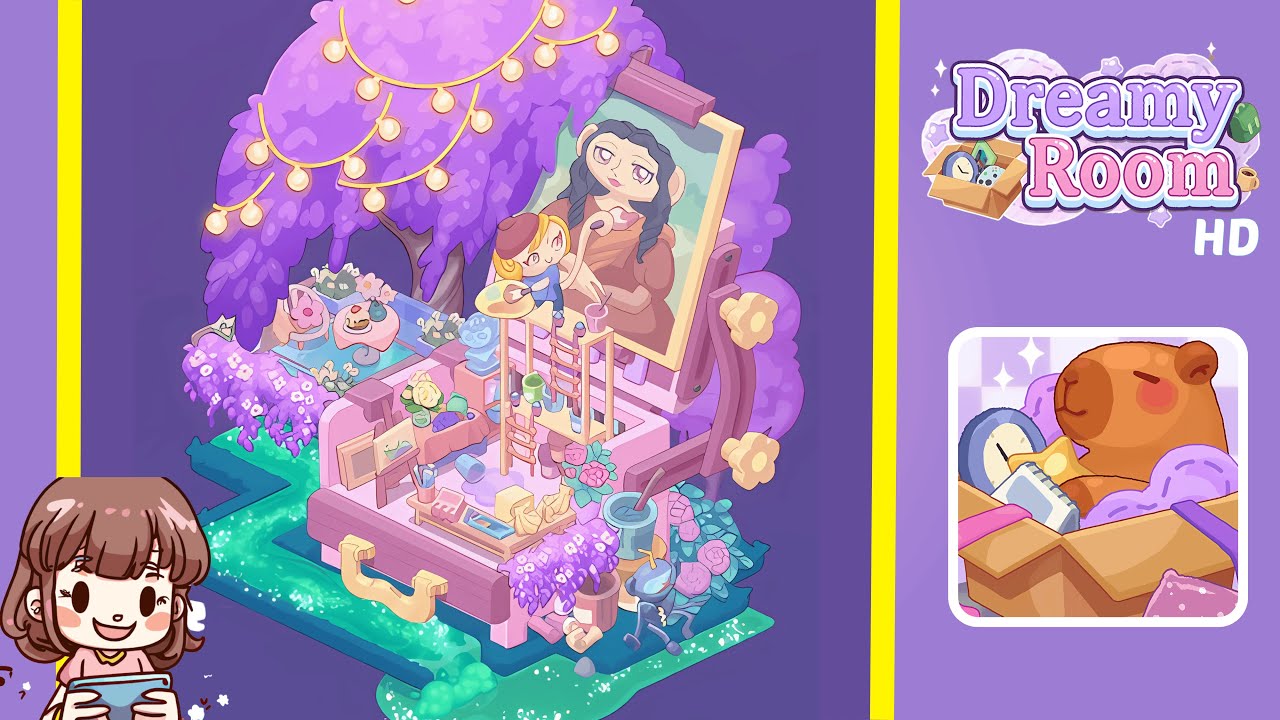
Dreamy Room Level 251 Walkthrough & Guide
Welcome to this comprehensive walkthrough for Dreamy Room Level 251. In this guide, we’ll transform the empty pink platform into the fully decorated, story-rich space you see in the completed image. The main challenge in Dreamy Room Level 251 is determining the correct placement for each object to recreate a cozy, nostalgic scene.
Step-by-Step Guide
- Place the large pink box bench in the center platform of Dreamy Room Level 251. Position the main pink box bench squarely in the center of the moss-lined platform. The bench should be flushed with the platform’s perimeter, with equal spacing on both sides. Ensure the handle faces the front of the screen and lock its position for stability.
- Lay out the glowing green river path around the edges in Dreamy Room Level 251. Start with the brightest green river tile at the front-left corner and continue adding tiles clockwise, ensuring snug fits to maintain the illusion of a continuous stream. The complete loop should enhance the glowing effect against the dark grass.
- Position the towering purple willow tree and purple bush cluster in Dreamy Room Level 251. Place the large purple willow tree at the back-left section, letting the canopy hang slightly over the river’s curve. Position the cluster of three smaller purple bushes on the right side of the bench. Ensure perfect placement for a balanced scene.
- Add the cozy tea table and pink cushioned chair under the left canopy in Dreamy Room Level 251. Place the pastel pink cushioned chair under the left side of the tree canopy and angle it toward the bench. Position the round tea table to its right and place a pink-frosted cake and small vanilla-cream pastry on it.
- Place the glowing lantern and rose bushes beside the river in Dreamy Room Level 251. Add the small stone lantern with a soft yellow glow at the back-left corner under the willow. Position the pastel pink rose bushes at the bottom-right corner. Adjust the lantern until the light highlights the roses.
- Set up the artist’s easel and painting supplies on the right side in Dreamy Room Level 251. Position the wooden easel on the right-hand side of the bench with the canvas tilted toward the viewer. Arrange the wooden ladder piece with art supplies around it for proper layering and scene building.
- Hang string lights, position the artist figurine, and add final details in Dreamy Room Level 251. Drape the string of fairy lights across the willow's canopy. Place the tiny artist figurine on the mid-ladder of the easel, ensuring security. Add the potted wisteria plant and banana-bunch sculpture beside the easel for the final touches.
Notes & Precautions
- Object Snapping: Ensure each decor item snaps precisely into the grid to avoid misalignment. Toggle the grid view or zoom in if needed.
- Layer Order: Manage foreground and background layering carefully using “bring forward” and “send backward” controls.
- Lighting Effects: Proper height placement of the lantern and string lights is crucial for correct glow effects.
- No Undo Limit: Utilize unlimited undos wisely; plan placements mentally before committing to save time.
- Storytelling Focus: Maintain thematic coherence; each object contributes to the overall narrative.
Tips & Tricks
- Pre-Plan Layout: Sketch the layout on paper before placing items to reduce trial-and-error.
- Use Zoom Strategically: Zoom in for detailed alignment and zoom out to check overall balance.
- Group Moves: Plan to place related items together, like the tea table and cake, to streamline the process.
- Listen for Clicks: Correct placements emit a subtle “chime,” using audio feedback for verification.
- Save Progress: Although there isn’t a manual save, screenshots can serve as references for position reinstatement.