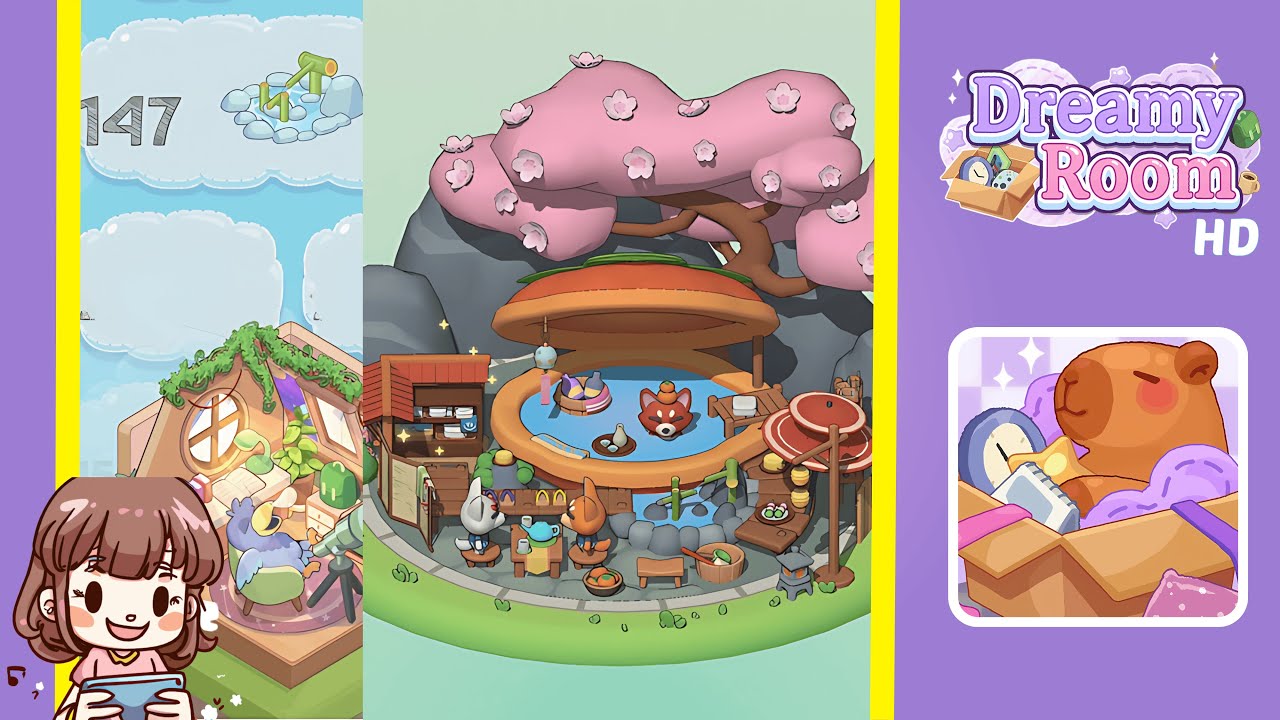
Dreamy Room Level 147 Walkthrough
Welcome to the Dreamy Room Level 147 walkthrough. This guide will assist you in creating a serene and cohesive design layout by meticulously placing all required elements.
Step-by-Step Guide
- Place the rocky base and add the pond. Begin by laying down large gray rocks around the edges to define the layout. Insert the pond at the center, ensuring it aligns smoothly with the stones. A soft glow will confirm correct placement.
- Add the cherry blossom tree. Select the cherry blossom tree and position it at the back of the pond, slightly off-center. Ensure it doesn’t obstruct pathways. A confirmation animation will signal proper placement.
- Set up the kiosk and food baskets. Place the wooden kiosk on the left side of the pond and arrange food baskets in front, ensuring accessibility. Confirmation glow will signal success.
- Place the seating and dining table. Position the dining table near the kiosk and surround it with four chairs. Check alignment by rotating the camera. A soft glow confirms correct arrangement.
- Add lanterns and decor. Place a tall red lantern on a stand to the right of the pond. Arrange smaller lanterns along the path, ensuring they do not obstruct interaction. A confirmation effect will appear upon correct placement.
- Position the character figurines. Place characters naturally around the environment, ensuring they don't block key areas. A visual cue will confirm proper placement.
- Complete the scene with small details. Add small decorative elements like flower pots and snacks. Ensure these do not crowd the main design. A final confirmation effect signals completion.
Notes & Precautions
- Align larger items like the tree and kiosk carefully to avoid overlap.
- Ensure ample space for interaction in seating and dining areas.
- Check lantern placement to prevent interaction blocking.
- Rotate the camera frequently to catch hidden overlaps.
- Keep decorative elements away from main objects to avoid clutter.
Tips & Tricks
- Begin with large objects like trees, rocks, and ponds to establish the foundation.
- Use symmetry to enhance visual appeal, especially with lanterns and seating.
- Position characters near key interactive elements like food baskets.
- Frequently rotate your view to spot alignment issues.
- Maintain open spaces around objects to avoid overcrowding.