Level walkthrough
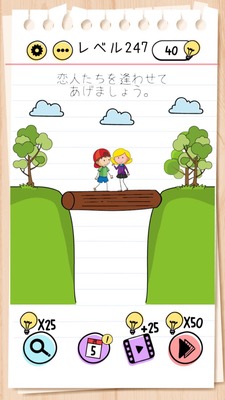
Brain Test Level 247 Walkthrough: Enlarge the log on the right
Brain Test Level 247 Walkthrough: Enlarge the log on the right
Complete Guide・Step-by-step Explanation・Common Mistakes
🧩 Level Information
- Level Number: 247
- Question: Swipe the log on the right to the center and pinch out to enlarge
- Difficulty: Easy
🎯 Objective
Move the log on the right to the center of the screen, then use the pinch-out gesture to enlarge the log and clear the stage.
📝 Step-by-step Solution
- First, check the log (wooden log) on the right side of the screen.
- Press and hold the log on the right with one finger, then swipe it to the center of the screen.
- Once the log is in the center, release your finger to confirm the position.
- Next, place two fingers on the log.
- Perform a pinch-out (zoom-in) gesture by spreading the two fingers outward.
- When the log is enlarged, you clear the stage.
💡 Hints
- The log is an object that can be moved by dragging. Try bringing it to the center of the screen first.
- The key to this level is using not only taps but also smartphone gestures (pinch-in/pinch-out).
- After placing the log in the center, use two fingers on the log to spread outward and enlarge the log to clear the level.
🧠 Analysis and Points
This stage serves as a tutorial to remind the player of smartphone-specific operations, such as pinch-out. It requires noticing that the object (log on the right) can be moved by dragging it. However, the solution is almost written in the question itself, "Swipe the log on the right to the center and pinch out to enlarge," so just follow the instructions. Pinch-out is a gesture where you spread two fingers outward, meaning zoom-in or enlarge. Applying this knowledge will make it easier to handle tricks involving zoom in future stages.
🔍 Common Mistakes
- Misunderstanding that something will happen just by tapping the log and getting stuck without enlarging it.
- Trying to pinch-out without moving the log to the center and mistaking it for a bug due to lack of response.
- Performing a pinch-in (pinching direction) instead of a pinch-out, failing to enlarge and meet the conditions.
- Repeating swipes and long presses with one finger without trying the two-finger gesture.
🎉 Advice After Clearing
After clearing, understand that this level was to reconfirm basic gestures like drag movement and pinch-out. Since there is a high chance of encountering tricks involving object enlargement/reduction or zooming in certain screen areas in the future, it will be useful to habitually try two-finger operations.