Level walkthrough
Brain Test Level 254 Walkthrough: Swipe the Book to Align the Dot with the Button
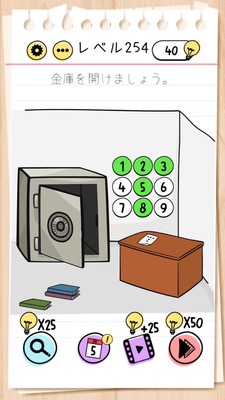
Brain Test Level 254 Walkthrough: Swipe the Book to Align the Dot with the Button
Complete Walkthrough, Detailed Steps, Common Mistakes
🧩 Level Information
- Level Number:254
- Task:Swipe the book and press the button when the black dot on the paper aligns
- Difficulty:normal
🎯 Objective
Swipe the book to move the black dot on the paper to a position above the button, and press the button at that moment to clear the stage.
📝 Step-by-Step Solution
- Confirm the existence of a 'book'-like object near the center of the screen. Also, confirm the presence of white paper and a black dot underneath, and a button nearby.
- Ensure that dragging or swiping the black dot, paper, or button directly does not move them. Realize that only the 'book' can be moved.
- Try swiping the book to the left or right and verify that the position of the paper and black dot underneath changes (or the view changes).
- While swiping the book gradually, find the position where the black dot on the paper aligns with the button. Move slowly and release your finger when the black dot is exactly over the button.
- Tap the button immediately when the black dot is directly above it.
- If the black dot is above the button when you press it, the level is cleared.
💡 Hints
- First, check which objects can be moved. The key is not the paper or the dot, but something else.
- Try swiping the book with your finger. The key is to move the 'book' itself, not the entire screen.
- When you swipe the book, the position of the paper and black dot underneath changes relatively. Find the position where the black dot aligns perfectly with the button.
- Do not miss the moment when the black dot is above the button; press the button at that timing. Both alignment and timing matter.
🧠 Explanation & Key Points
This stage is a puzzle that utilizes the bias of trying to move 'what you see' directly. Players tend to initially attempt to move the black dot, paper, or button directly, but in reality, only the book can be moved. Swiping the book changes the relative position of the paper and black dot, allowing the black dot and button to align. This shift in thinking, moving the 'base' to achieve alignment, is the key point and creates a typical Brain Test-style puzzle. Additionally, since it's necessary to press the button when the dot overlaps with the button, both alignment and timing are required, making it a simple yet tactile problem.
🔍 Common Mistakes
- Trying to drag the black dot itself to the button.
- Attempting to only swipe the paper to move it, but giving up due to no response.
- Believing that repeatedly pressing the button will eventually clear the level, without aligning the positions first.
- Attempting to swipe the entire screen to move the background and failing to come up with the idea of moving the book.
- Pressing the button before the black dot and the button are perfectly aligned, resulting in no response.
🎉 Post-Clear Advice
If you realize the idea of moving the book as a base, you could clear this stage right away. This concept of moving not only visible objects but also the supporting elements will be helpful in future puzzles. In the next level as well, try swiping various items without being bound by fixed ideas.