Level walkthrough
Brain Test Level 257 Walkthrough: Swipe B's 13 to A's 7 to make it 20
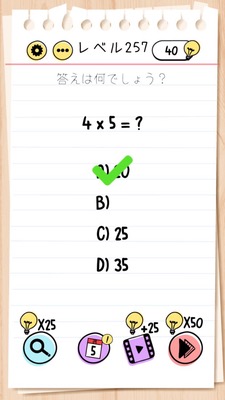
Brain Test Level 257 Walkthrough: Swipe B's 13 to A's 7 to make it 20
Complete Walkthrough, Step-by-Step Guide, Common Mistakes
🧩 Level Information
- Level Number: 257
- Objective: Swipe B's 13 to A's 7 to make it 20. Tap the 20.
- Difficulty: normal
🎯 Objective
Overlap B's 13 with A's 7 to make 20, then tap the 20.
📝 How to Solve
- Check the numbers 'A's 7' and 'B's 13' displayed on the screen.
- Press and hold (tap & hold) B's 13 and check if it can be dragged.
- Swipe (drag) B's 13 towards A's 7 while holding it down.
- Move '13' over '7' so that the two numbers combine into '20'.
- When '20' is displayed, tap the number '20'.
- If you see a 'Correct!' message, the level is cleared.
💡 Hints
- The numbers on the screen are not just displays; some can be moved.
- If you carefully touch B's 13, you'll notice it can be dragged.
- Combining 7 and 13 makes 20. The key is to overlap these two numbers.
- Don't forget to tap the 20 after creating it by overlapping the numbers.
🧠 Analysis & Key Points
This level is not just about mathematical calculations but requires a classic Brain Test mindset shift of 'moving the numbers themselves to combine them'. Players know the arithmetic fact that '7 and 13 make 20', but often look for an addition button or input area. However, in this puzzle, dragging and overlapping the numbers to create a new number (20) is the correct way. The key is to notice interactive elements (drag & swipe), and breaking the fixed UI mindset by trying to interact with what's on the screen is a shortcut to a solution. Moreover, creating 20 and then tapping it is a two-step process, which includes a minor catch where players might forget to tap after making 20.
🔍 Common Mistakes
- Tapping 7 and 13 separately does nothing. It's not just about selection; it's about 'dragging and overlapping'.
- Keep looking for an addition button or calculation area. There's no such UI on the screen; moving the numbers themselves is the solution.
- Expecting 20 to appear automatically by tapping 7 and 13 in order, but nothing happens due to different specifications.
- Creating 20 and leaving it as is without tapping, failing to clear the level. Make sure to tap the 20.
🎉 Post-Clear Advice
You must be getting used to the gimmick of moving and combining numbers. In future levels, play with the perspective that 'things displayed can actually be moved or combined'. Further tricks await you next.