Level walkthrough
Brain Test Level 253 Walkthrough: Face the smartphone screen down
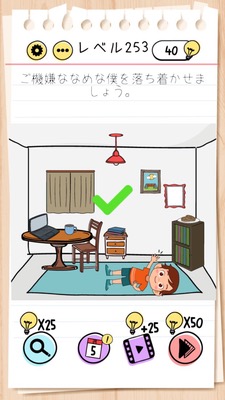
Brain Test Level 253 Walkthrough: Face the smartphone screen down
Complete Walkthrough・Step-by-step Guide・Common Mistakes
🧩 Level Information
- Level Number: 253
- Puzzle: Face the smartphone screen down
- Difficulty: Easy to Tricky
🎯 Objective
Instead of manipulating inside the screen, the player has to physically face the smartphone down.
📝 Steps to Solve
- Carefully read the game's instruction ‘Face the smartphone screen down’.
- Confirm that there are no special buttons or movable objects on the screen.
- After confirming no changes occur by tapping or swiping within the app, consider that you need to move the smartphone itself.
- Slowly lift the smartphone (or tablet) up.
- Rotate the device and place it so that it is 'facing down' on a desk or your palm.
- Keep it in that position for a few seconds until the game recognizes "Clear" and proceeds to the next screen.
💡 Hints
- There should be no reaction when tapping the screen. The hint lies outside the screen.
- Remember puzzles that react to changing the orientation of the smartphone.
- Try moving the actual device you have, not the app.
- Turn the smartphone over and lay it facing down on the desk.
🧠 Explanation & Key Points
This level is a typical tricky puzzle that requires players to switch their mindset to include using the actual smartphone itself and not just the game. Many players initially try to solve it by tapping or dragging something on the screen, but actually, there's almost no trick on the game screen. The accelerometer and gyroscope sensors built into the device are utilized, and a clear judgment is made when the smartphone is faced down. Such a gimmick is common in the Brain Test series, and the key point is whether you can realize ‘execute the puzzle description in real life’.
🔍 Common Mistakes
- Repeatedly tapping somewhere on the screen.
- Trying to flip illustrations and buttons in the screen by swiping/dragging.
- Fiddling with UI, such as settings menu or pause button.
- Only slightly tilting, shaking, or rotating the device without fully facing it down.
- Misunderstanding screen auto-rotation (portrait/landscape switch) as a hint and only changing it.
🎉 Advice After Clearing
Once you return the device from the facedown position, the clear screen or button to the next level will be displayed. Remembering that there are puzzles that require you to physically move your smartphone will help with tricky problems in the future.