Level walkthrough
Brain Test Level 235 Walkthrough: Tilt Your Smartphone to the Right
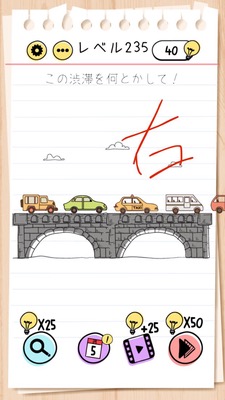
Brain Test Level 235 Walkthrough: Tilt Your Smartphone to the Right
Complete Solution, Step-by-Step Guide, Common Mistakes
🧩 Level Information
- Level Number: 235
- Puzzle: Tilt your smartphone to the right
- Difficulty: Easy to Intermediate
🎯 Objective
Tilt the actual smartphone body to the right, not the screen, to clear the stage.
📝 Steps to Solve
- With the app still running, hold the device securely in your hand.
- Without tapping or swiping the screen, slowly tilt the smartphone body to the right.
- Once you tilt it to a certain angle, the game will detect the tilt (gyroscope or accelerometer) and the stage will be cleared.
💡 Hints
- If tapping the screen doesn't trigger any reaction, it might be a puzzle that requires you to move the smartphone itself.
- The key is to tilt to the "right" rather than left or up/down.
- Instead of shaking quickly, try tilting slowly to the right. It will clear at a specific angle.
🧠 Analysis and Points
This level is a typical device-feature-utilizing puzzle, where there's no clear object to interact with on the screen, and the instruction itself serves as the solution. The key is whether you can interpret the text "tilt your smartphone to the right" as an instruction for the player, not the in-game character. In Brain Test, there are many puzzles that require sensor operations such as shaking, tilting, or rotating the device, in addition to screen operations like tapping, swiping, or pinching. This level is one such example. While the operation is simple, it becomes easy to get stuck if you try to do something on-screen.
🔍 Common Mistakes
- Continuously tapping somewhere on the screen.
- Trying to move items on the screen by swiping or dragging.
- Tilting the smartphone left or up/down instead of trying the right.
- Making unnecessarily complex movements by shaking or rotating the smartphone excessively.
- Suspecting the device's auto-rotation lock or gyroscope malfunction before trying to tilt it slowly to the right.
🎉 Advice After Clearing
Getting accustomed to puzzles that use the smartphone's tilt sensor will be helpful in future levels. In the future, if no apparent hints can be found on-screen, remember the possibility of "moving the device itself."