Level walkthrough
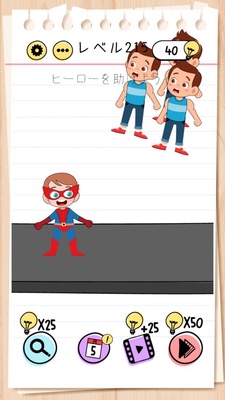
Brain Test Level 215 Walkthrough: Turn the Smartphone Upside Down
Brain Test Level 215 Walkthrough: Turn the Smartphone Upside Down
Complete Guide・Step-by-step Explanation・Common Mistakes
🧩 Level Information
- Level Number:215
- Puzzle:Turn the smartphone upside down
- Difficulty:Easy
🎯 Objective
Instead of on-screen, the player actually turns the smartphone (device) upside down to clear the stage.
📝 Steps to Solve
- Confirm that there are no buttons or switches anywhere on the game screen.
- Notice that there is no response to usual operations such as swiping or tapping.
- Slowly lift up the device itself and rotate it to turn it upside down.
- Hold the smartphone completely upside down for a few seconds.
- It will automatically be judged as cleared and Level 215 will be completed.
💡 Hints
- Think about whether you can do something with the 'smartphone itself' rather than the screen.
- Try operations other than tapping or swiping—such as tilting or rotating the device.
- Physically execute exactly what the puzzle says. Try turning the smartphone upside down.
🧠 Explanation and Points
This stage is a type of meta-puzzle common in the Brain Test series, which involves manipulating the device itself. The puzzle "turn the smartphone upside down" is the exact solution, and since there are no special objects or buttons on the screen, the player needs to shift their perspective from normal tap operations. The mechanism clears when the gravity sensor (accelerometer) detects that the device is upside down. The text itself serves as both a hint and an answer, testing your attentiveness to reading and flexibility to think of operations 'outside the game'.
🔍 Common Mistakes
- Tapping every corner of the screen, mistakenly thinking there are hidden buttons or items to find.
- Stopping after only slightly tilting the smartphone and not completely turning it upside down, resulting in no completion recognition.
- Suspicion of screen auto-rotation settings or gyro function, and unnecessarily fiddling with settings outside the game.
- Misunderstanding "turn the smartphone upside down" as something to turn an on-screen object upside down by swiping.
🎉 Post-Clear Advice
It was a simple clear by just turning the device upside down―a stage of "changing perspective." Keep in mind that there might be tricks involving the movement or orientation of the 'smartphone itself', not just on-screen, which will help you quickly adapt to similar puzzles in the future.