Level walkthrough
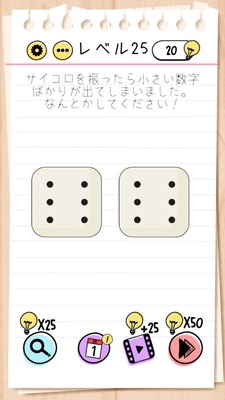
Brain Test Level 25 Walkthrough: Shake the phone to make the dice match
Brain Test Level 25 Walkthrough: Shake the phone to make the dice match
Complete walkthrough, step-by-step guide, common mistakes
🧩 Level Information
- Level Number: 25
- Puzzle: Shake the phone to make the dice match
- Difficulty: Easy
🎯 Objective
Make the dice show the same number (match).
📝 Steps to Solve
- Do not touch the dice displayed on the screen, hold the phone itself.
- Gently shake the phone (or tablet). *Recognized as a shake action in-game.
- Shake the phone until the two dice show the same number.
- Once both dice show the same number, the stage will automatically clear.
💡 Hints
- Simply tapping or swiping the dice won’t align them.
- Think about what you can do with the phone itself, not just on the screen.
- Try to replicate the dice-shaking motion with the actual phone.
- By gently shaking the phone (device), the dice numbers will change.
🧠 Explanation & Key Points
This stage is a tutorial-like puzzle that uses the movement of the device itself instead of on-screen objects. If you realize the association between dice and shaking, you will naturally come to the idea of shaking the device. In the Brain Test series, sensor inputs like "shaking, tilting, and rotating the device" are often used as solutions in addition to tapping and dragging, making this a level that aims to teach players their existence. No need for strong movements; a light shake will suffice. The dice numbers will change after several shakes, and when they match, the stage clears automatically.
🔍 Common Mistakes
- Attempting to change the dice number by tapping them repeatedly.
- Trying to make the dice match by dragging or overlapping them.
- Quickly swiping across the screen under the wrong assumption that it simulates shaking.
- Only trying to tilt the device without actually shaking it.
- Suspecting UI buttons like sound or menu options, leading to unnecessary settings changes.
🎉 Advice After Clearing
Remember that shaking the device is an option. In future levels, shaking will frequently be key to solving puzzles. Always consider how you can interact with the phone itself, not just the screen, to clear levels more easily.