Level walkthrough
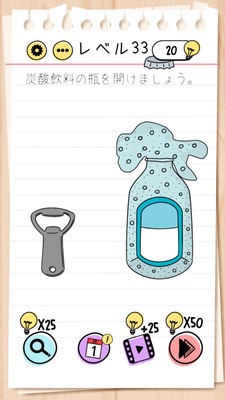
Brain Test Level 33 Walkthrough: Shake the Phone to Open
Brain Test Level 33 Walkthrough: Shake the Phone to Open
Complete Guide・Procedure Explanation・Common Mistakes
🧩 Level Information
- Level Number: 33
- Problem Statement: Shake the phone to open
- Difficulty: Easy
🎯 Objective
Shake the phone itself to open the lock (or door) on the screen.
📝 Solution Steps
- Observe the game screen carefully and make sure there are no special buttons or keyholes.
- If tapping or swiping the screen results in no or little response/opening, recognize it as a problem that can't be solved by usual operations.
- Hold the smartphone (or tablet) firmly and shake it left to right or up and down, taking care not to drop it.
- By shaking it hard enough, the game will detect the shaking motion of the device, open the lock (or door), and the stage will be cleared.
💡 Hints
- If tapping the screen doesn't open anything, think of utilizing the smartphone itself.
- This puzzle uses the 'movement of the device' instead of touch operations. It involves a mechanism using the accelerometer.
- Hold the smartphone tightly, taking care not to drop it, and try shaking it left, right, up, or down.
🧠 Explanation & Points
This level serves a tutorial-like role in which players are reminded of 'operations other than screen touch.' In the Brain Test series, it's common to incorporate real-life actions like shaking, tilting, or rotating the device into puzzles, and this stage is a typical example of that. Since there are few special clues on the screen and normal taps or drags don't change the situation, a shift in thinking to 'maybe I need to move the smartphone itself?' is required. Although the difficulty is relatively low, it might pose a trickier element for those not accustomed to problems using smartphone sensors.
🔍 Common Mistakes
- Continuously tapping on the door or lock part on the screen.
- Repeatedly trying different variations of touch operations like swiping or long-pressing.
- Trying pinch-in or pinch-out (zooming in/out) and straying further from the answer.
- Stopping after only slightly tilting the device and mistakenly thinking 'that's not it' (you actually need to shake it more firmly).
🎉 Advice After Clear
After clearing this stage, get used to the unique Brain Test idea that 'screen operations are not the only solution.' Problems utilizing real-world movements like tilting, turning upside down, or shaking the device will continue to appear. If you get stuck in the same way, develop a habit of first suspecting 'maybe it's a mechanism involving moving the smartphone itself,' and you'll be able to solve it more smoothly.