Level walkthrough
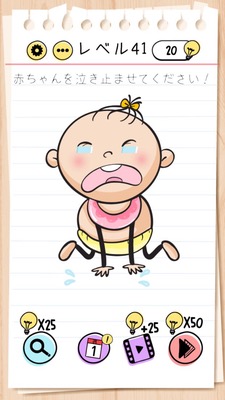
Brain Test Level 41 Walkthrough: Turn the smartphone upside down to stop the tears
Brain Test Level 41 Walkthrough: Turn the smartphone upside down to stop the tears
Full walkthrough, step-by-step explanation, common mistakes
🧩 Level Information
- Level Number: 41
- Objective: Turn the smartphone upside down to stop the tears
- Difficulty: Easy
🎯 Objective
Stop the tears of the character crying on the screen.
📝 Solution Steps
- When the game screen appears, do not touch any buttons or characters yet.
- Slowly lift the smartphone/tablet.
- Rotate the device 180 degrees so that it is upside down (turn the screen upside down).
- When upside down, the tears will not flow 'upwards', and as a result, it will be judged that the tears have stopped, leading to clearing the level.
- Return the device to its original orientation and proceed to the next level.
💡 Hints
- No matter how much you tap the screen, the tears won't stop. Change your approach.
- Think of the trick as being in 'the device itself' that you are holding, not within the app.
- Not only tilt the smartphone but boldly turn it upside down.
🧠 Explanation & Points
This level involves a common Brain Test trick that uses the 'orientation of the device'. Players initially search for something like a handkerchief or switch on the screen or try to drag and change the orientation of the character's face. However, the essence of this puzzle lies not in the app but in the device's gyroscope sensor. When the smartphone is completely upside down, the game detects this and interprets it as a change in the direction of tear flow (=gravity direction), thus considering the tears to have stopped and clearing the level. By making you operate 'outside of the game', it is a level that trains you to break fixed concepts.
🔍 Common Mistakes
- Trying to comfort by tapping or long-pressing the character.
- Dragging the character's face to make it look up or sideways to change the direction of the tears.
- Desperately tapping the handkerchief, tissue, buttons, etc., that might be on the screen.
- Stopping after only slightly tilting the smartphone and not making it completely upside down.
- Repeatedly pressing buttons, such as the settings menu or pause button, thinking they are UI buttons.
🎉 Advice After Clearing
When the tears stop and the character seems calm, the level is cleared. If you understand the importance of the idea of 'moving the smartphone itself', not just within the screen, you will find similar kinds of problems easier to solve in the future. Continue to challenge the next levels and explore what other tricks are hidden.