Brain Test Level 179 Walkthrough: Adjust the Picture to Fit the Window
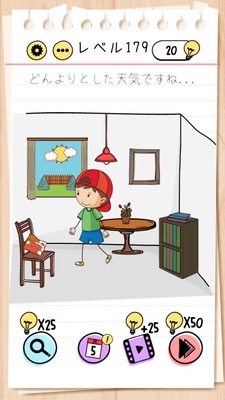
Brain Test Level 179 Walkthrough: Adjust the Picture to Fit the Window
Complete Solution・Steps Explanation・Common Mistakes
🧩 Level Information
- Level Number: 179
- Task: Use pinch-out on the picture on the right to adjust it to the window's size and align it with the window
- Difficulty: Normal
🎯 Objective
Enlarge the picture on the right to match the size of the window, and then align it precisely with the window position.
📝 Steps to Solve
- Focus on the picture on the right side of the screen (a small square picture).
- Use the pinch-out gesture on your smartphone or tablet (spreading two fingers outward) to gradually enlarge the picture on the right.
- Continue enlarging until the picture is almost the same size as the window, comparing frequently.
- Once the size is sufficient, drag the picture to position it over the window.
- Clear the stage by overlaying the picture precisely where the size matches the window frame.
💡 Hints
- You cannot clear the stage with just a simple drag. You need to change the picture's 'size.'
- Recall basic gestures performed with two fingers. Try the movement used to enlarge photos on your smartphone.
- Pinch out on the picture on the right (spread two fingers outward) to make it the same size as the window, then align with the window.
🧠 Explanation & Points
This puzzle not only involves simple operations like tapping or dragging but also requires the use of smartphone-specific multi-touch gestures (pinch in/pinch out). Players often think about just moving the position, given the instruction to 'match the picture to the window,' but an adjustment in size is actually necessary, requiring a shift in perspective. The key is whether players can associate it with the 'enlarge operation' commonly used in photo apps, making it a typical Brain Test stage that brings real smartphone operations into a puzzle. The operation steps themselves are simple, but the difficulty changes depending on whether players think of using multi-touch.
🔍 Common Mistakes
- Attempting to align the picture with the window by dragging it as is, then giving up when the size doesn't match.
- Trying to change the size by pinching in or out on the window instead (the focus should be on manipulating the picture on the right).
- Clicking the picture repeatedly, expecting some change, and not considering the possibility of a size change.
- Trying to zoom the whole screen with a pinch-out, managing the screen display instead of the stage objects.
🎉 Advice After Clearing
When you successfully align the picture with the window, the stage is cleared, and if you are used to multi-touch operations, it is a satisfying challenge to solve. Continue on to the next tricky stage.