Brain Test Level 168 Walkthrough: Tilt the Smartphone and Flip it Over
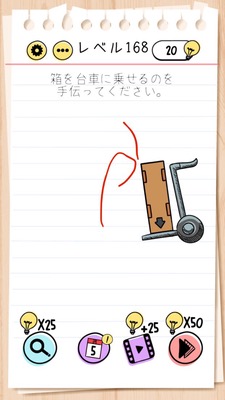
Brain Test Level 168 Walkthrough: Tilt the Smartphone and Flip it Over
Complete Solution, Step-by-Step Guide, Common Mistakes
🧩 Level Information
- Level Number:168
- Problem Statement:Tilt the smartphone to the right and then flip it over from the right
- Difficulty:Hard
🎯 Objective
Clear the stage using only the tilt and rotation of the device (smartphone) to activate the gimmick.
📝 Solution Steps
- First, open the game screen and slowly tilt the smartphone to the right. Make sure to notice that objects on the screen start moving to the right.
- While maintaining the tilt to the right, slowly rotate the smartphone clockwise from the right side until it is upside down (inverted).
- Hold the completely inverted state for a few seconds and wait for the objects or mechanisms on the screen to respond.
- When the gimmick is activated correctly, the stage will clear automatically. Return the smartphone to its original orientation and proceed to the next level.
💡 Hints
- You cannot solve it by just tapping or swiping the screen. Try moving the smartphone itself.
- Initially, tilt the smartphone slowly to the right and closely observe the movement on the screen. Is something flowing or rolling to the right?
- After tilting to the right, without stopping, try rotating the smartphone clockwise.
- The key is not to disrupt the sequence and flow: "Tilt to the right" → "Flip over from the right side." Avoid rotating from the opposite direction or returning it straight midway.
🧠 Explanation & Key Points
The aim of this stage is to make players use a combination of "device tilt" and "device rotation." Many players initially try to solve it by tapping or dragging on the screen, but this puzzle is based on the motion of the gyro sensor and accelerometer. The statement "Tilt the smartphone to the right and flip it over from the right" itself is the solution, and following the text is the correct answer. The right tilt changes the position or state of objects, and by further rotating 180 degrees from the same direction, the final condition (objects aligning in a certain position or orientation, or liquid pouring) can be achieved. It's important not to return the device to a horizontal position midway, and to perform the actions as a continuous sequence: "tilt to the right → flip over from the right."
🔍 Common Mistakes
- Trying to solve it by tapping or swiping the screen.
- Tilting the smartphone to the left or shaking it up and down.
- Returning it to an upright position after tilting to the right, then flipping it over, causing the sensor to reset.
- Rotating in the wrong direction and flipping it over from the left side (counter-clockwise).
- Returning it to its original state too soon after flipping it over, moving it before the mechanism responds.
🎉 Post-Clear Advice
When the correct movement is performed, the mechanism on the screen activates, and a stage clear message is displayed automatically. You will understand that this was a special puzzle solvable only by device operations, and learn that the concept of "moving the smartphone itself" will be necessary in subsequent stages.