Level walkthrough
Brain Test Level 145 Walkthrough: Swipe the 1 on the left to create 111
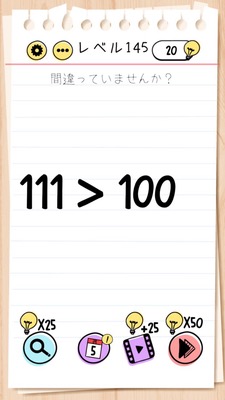
Brain Test Level 145 Walkthrough: Swipe the 1 on the left to create 111
Complete Strategy, Step-by-Step Guide, Common Mistakes
🧩 Level Information
- Level Number: 145
- Prompt: Swipe the 1 on the left to reveal a new 1 to make it 111
- Difficulty: normal
🎯 Objective
Manipulate the numbers on the screen to complete the three-digit number "111".
📝 Solution Steps
- Check the positioning of the numbers on the screen, such as '1 1' or '1?'.
- Focus on the number '1' on the left side.
- Lightly swipe the '1' on the left to the right (trace with your finger).
- Swiping will reveal another new '1', making three numbers in a row.
- Ensure that three '1's are aligned horizontally to form '111'.
- If the conditions are met, the stage will automatically clear.
💡 Hints
- A swipe (trace) action is required instead of a tap.
- It's designed to move the '1' on the screen to increase them, not to input new numbers.
- Try swiping the '1' on the left to the right.
- Swiping the left '1' will make another '1' appear, resulting in a total of three '1's.
🧠 Analysis and Key Points
On this stage, just looking at the condition to make '111' might make you want to input a new number or press a button, but true to Brain Test style, it’s a trick of "moving and increasing the existing ones". The key point is that a simple tap or long press does nothing, and the correct action of 'swiping the left 1' is intuitive yet hard to try. The swipe duplicates the left 1, and as a result, three 1's are aligned to complete 111. Without an input field or keypad, one might think 'increasing the number = there’s a hidden button somewhere', but this level serves as a tutorial reminding players of the basic Brain Test concept of “changing the on-screen objects with gestures”.
🔍 Common Mistakes
- Tapping the numbers does nothing, leading to repeated tapping.
- Looking for a place to directly input '111'.
- Swiping outside the screen or swiping the numbers on the right with no response, leading to giving up.
- Trying to long-press or zoom in/out on the left '1'.
- Waiting for an app keyboard or other buttons to appear.
🎉 Advice After Clearing
You've realized the trick of gesture control where swiping the left 1 increases it to become '111'. In Brain Test, beyond pressing buttons or inputting numbers, there are frequently devices to 'swipe and increase, duplicate'. Remembering this concept of tracing numbers or objects will make future challenges easier to tackle.