Level walkthrough
Brain Test Level 64 Walkthrough: Level 64: Swipe 64 to make 6450
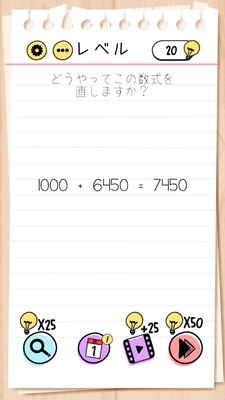
Brain Test Level 64 Walkthrough: Level 64: Swipe 64 to make 6450
Complete Guide, Step-by-Step Explanation, Common Mistakes
🧩 Level Information
- Level Number: 64
- Question: Swipe the 64 from Level 64 above to make the equation +50 into 6450
- Difficulty: easy
🎯 Objective
Swipe the "64" in "Level 64" written at the top of the screen to overlay it on the "+50" in the equation and change the number in the equation to "6450".
📝 Steps to Solve
- Check the "Level 64" displayed at the top of the screen.
- Press and hold the "64" in that text with your finger, and drag (swipe) it downward.
- Move the dragged "64" to precisely overlay it just left of the "+50" in the question's equation.
- Confirm that the "+50" has changed to display as "6450".
- If "6450" appears correctly, you clear the stage.
💡 Hints
- Notice that the question says "Swipe the 64 from Level 64 above".
- Instead of trying to calculate from 50 to 6450, think about whether you can move the "64" number that's somewhere on the screen.
- Try grabbing the "64" in the top "Level 64" with your finger and moving it toward the "+50" in the equation.
🧠 Explanation & Key Points
This problem is the type of "use the entire screen" trick problem where you get stuck if you try to solve it just within the equation. The solution is explicitly written in the question, "Swipe the 64 from Level 64 above", so following this directive literally is correct. Players typically assume that UI elements such as level display are fixed, but in this game, they are often designed to be movable, and realizing this is a key point. By dragging the 64 and placing it before the "+50" in the equation, the notation "+50" becomes concatenated into the number "6450", completing the stage. It's a puzzle that tests creative thinking and attention to the UI rather than logical calculations.
🔍 Common Mistakes
- Endlessly considering how to calculate the equation to make 50 into 6450.
- Repeatedly tapping the "+50" part to see if the number changes.
- Trying to move other objects or buttons on the screen, assuming that the top "Level 64" is fixed.
- Trying to zoom in or out to find hidden numbers.
- Failing to notice that "64" can be dragged, relying instead on reset or hint buttons.
🎉 Post-Clear Advice
This stage provided an experience where even the top-level display is part of the puzzle. In future levels, keeping in mind the possibility that UI text and decorations can be movable or combinable will help you uncover trick problems more easily.