Level walkthrough
Brain Test Level 112 Walkthrough: Make the Window Bigger and Hit the Target
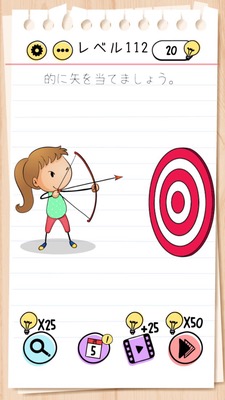
Brain Test Level 112 Walkthrough: Make the Window Bigger and Hit the Target
Complete Walkthrough, Step-by-Step Explanation, Common Mistakes
🧩 Level Information
- Level Number:112
- Problem Statement:Pinch out the window to enlarge it and shoot the arrow
- Difficulty: Medium
🎯 Objective
Enlarge the window so that the arrow can go out and hit the target (or an outside goal).
📝 Steps to Solve
- First, check the small window on the screen. The arrow is either bigger than the window or the window is too small to let the arrow out.
- Without touching the arrow or bow, perform a pinch-out gesture (spreading outward with two fingers) on the window itself.
- As you continue pinching out, the window gets bigger and you can see the outside scenery and target better.
- Once the window is big enough, tap the bow (or arrow) to shoot the arrow.
- The arrow flies out through the enlarged window and hits the target, clearing the stage.
💡 Hints
- Before messing with the arrow or bow, pay attention to other objects within the stage.
- If you realize the arrow can't pass because the window is too small, think about what you can do with the window itself.
- Look for places where you can use smartphone-specific gestures (pinch-in/pinch-out).
- Try pinching the window with two fingers and spreading them outward...?
🧠 Analysis & Key Points
This level is a puzzle that requires a mindset to manipulate a part of the field called the 'window', rather than directly manipulating the arrow or changing its angle. Initially, players focus on the situation where the arrow can't pass through the window or the target isn't visible, but this can't be solved with regular taps or drags. What's important is noticing that with smartphone-specific pinch-out operations, similar to enlarging photos or maps, you can enlarge the window. In Brain Test, UI-like objects (windows, buttons, frames, etc.) on the screen can often be interacted with and altered, and this level is a typical example of that. Intuitively, you might try to work around the arrow or bow, but shifting perspective to 'widen the path' is the correct answer.
🔍 Common Mistakes
- Trying to drag the arrow to change its angle, but ending up unable to aim properly.
- Trying to shorten the arrow by pinching in/out the arrow itself, but nothing happens.
- Only tapping or long-pressing the window and concluding it doesn’t respond, then searching elsewhere.
- Trying to drag the walls or target to move them, but they don’t move, and getting stuck.
- Performing pinch-in/pinch-out on the screen but thinking it's for overall zoom instead of the field, and giving up.
🎉 Advice After Clearing
Once you get used to the trick of changing the field side, like enlarging a window to let the arrow pass, you’ll naturally begin to think about 'moving or changing the size of obstacles' in future stages. In the next level, be suspicious of objects that appear to be fixed in place; they might actually be movable or changeable.