Brain Test Level 300 Walkthrough: Where is the upper right?
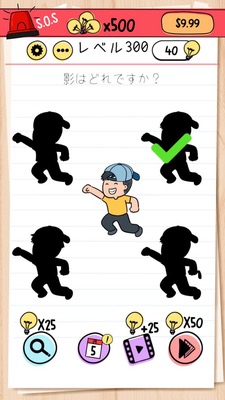
Brain Test Level 300 Walkthrough: Where is the upper right?
Complete Walkthrough, Step-by-step Guide, Common Mistakes
🧩 Level Information
- Level Number: 300
- Objective: Tap the upper right
- Difficulty: Easy
🎯 Objective
Correctly tap the very upper right corner of the screen to clear the stage.
📝 Step-by-step Solution
- Observe the entire screen carefully without touching objects that look like buttons in the center of the screen.
- Infer from the word "upper right" that it refers to the "upper right corner of the screen itself," not the options.
- Aim for the extreme edge of the device screen—the 'upper right corner' where almost nothing is drawn.
- Tap once at the very upper right corner of the entire screen (close to the bezel), not the upper right of UI panels or picture frames.
- If you tap the correct location, the level is cleared, and you can proceed to the next level.
💡 Hints
- Consider which "upper right" is being referenced. It might not just be options or pictures.
- Focus on the corner of the screen itself, not a specific button.
- Try tapping the upper rightmost corner of the smartphone screen, not the panels that make up the game screen.
🧠 Analysis & Key Points
This stage is a simple trick question that uses literal instructions and player assumptions. When it says "tap the upper right," many players look for the 'upper right part' of buttons, pictures, and panels within the screen. But what is actually required is a physical tap on the upper right corner of the entire device screen, not interface elements. The Brain Test series often includes problems requiring players to tap 'the screen itself' or 'outside the frame,' so this level demands such a meta thought shift. The operation is very simple with just one tap, but discovering where to tap is key, and it's a question that tests observation and flexible thinking free from fixed ideas.
🔍 Common Mistakes
- Tapping repeatedly on the right upper part of objects that obviously seem tappable, like buttons or icons.
- Trying the right upper part of small marks or text in the screen in order and failing to notice the intended spot.
- Pressing outside the screen (on the bezel of the smartphone body), but not in the 'corner of the screen' where actual touch detection occurs.
- Trying unnecessary gestures like long pressing or swiping, veering away from the solution.
🎉 Post-clear Advice
Tapping on the very upper right corner of the screen gives a quick clear, reaffirming the importance of taking simple instructions literally and considering the entire screen as the target—a concept unique to the Brain Test. In the next level, you may be required to deal with more advanced tricks or shifts in thinking, so continue progressing with a perspective free from fixed ideas.