Brain Test Level 290 Walkthrough: Open the Left Shelf
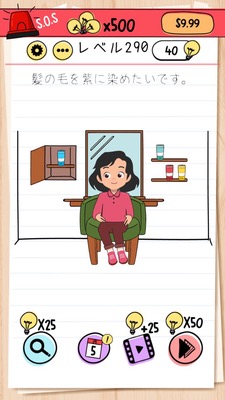
Brain Test Level 290 Walkthrough: Open the Left Shelf
Complete Walkthrough, Step-by-Step Explanation, Common Mistakes
🧩 Level Info
- Level Number: 290
- Challenge: Open the left shelf
- Difficulty: Hard
🎯 Objective
Open the shelf considered to be on the left side and clear the stage.
📝 Steps to Solve
- First, try tapping on the left shelf a few times without getting any response.
- Tap on the right shelf, which opens easily, indicating that the concept of 'left and right' is the key to this problem.
- Rotate your smartphone (or tablet) slowly 180 degrees, so it's upside down.
- The screen will auto-rotate, switching the original right shelf to the 'left side' of the screen.
- In this state, tap on the door of the shelf now seen on the 'left side' (the original right shelf).
- If the door opens, the condition 'open the left shelf' is satisfied, and the stage is cleared.
💡 Hints
- Forcing the left shelf open directly seems unlikely to work. Think of ways to change perspectives or conditions.
- In this game, mechanisms often involve tilting or rotating the smartphone. Can you change the concept of 'left and right'?
- Try flipping your smartphone 180 degrees. After the right shelf comes to the left side, try tapping on that shelf.
🧠 Analysis & Key Points
This stage tests whether the player can realize that the concept of 'left' is not fixed and that the left and right can change depending on the orientation of the screen or the player's perspective. Initially, players attempt to open the shelf drawn on the left side of the screen, but it doesn't respond no matter how much they tap. Meanwhile, the right shelf opens usually, leading to questioning whether 'opening the left shelf' is necessary and what is considered 'left' is essential.\n\nBy rotating the smartphone 180 degrees, the physical top and bottom invert, and the auto-rotation feature causes the previously right shelf to become 'left' in the new screen arrangement. Thus, the condition 'open the left shelf' can be interpreted as the left shelf when the device is held upside down. This is a perspective-shifting trick, utilizing the orientation and gravity sensor typical in Brain Test type games.
🔍 Common Mistakes
- Rapidly tapping, pressing and holding, or swiping to force open the left shelf.
- Trying to pull or turn small parts like the handle or hinges on the shelf.
- Assuming a key or tool is hidden somewhere on the screen and looking in unnecessary places.
- Believing that there is a key inside the right shelf and repeatedly opening and closing it.
- Misunderstanding it as a gimmick involving dragging the text 'left' or 'shelf' itself onto the shelf.
- Only trying to tilt the device slightly left or right, but not attempting a full 180-degree upside-down rotation.
🎉 Advice After Clearing
When the door of the shelf now seen on the left side (originally the right shelf) is opened and its contents are revealed, a clearing animation plays. This allows the player to experience a unique shift in thinking from the game, where changing the orientation of the device also changes the definition of 'left'.