Brain Test Level 80 Walkthrough: 100 Knights
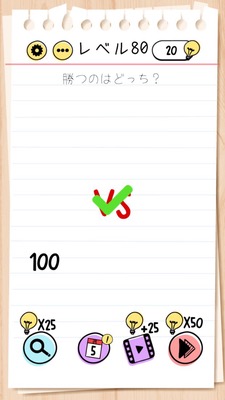
Brain Test Level 80 Walkthrough: 100 Knights
Complete Solution・Step-by-Step Explanation・Common Mistakes
🧩 Level Information
- Level Number: 80
- Question: Swipe the 100 from "100 Knights" below to the 100 below
- Difficulty: Intermediate
🎯 Objective
Swipe the "100" from the "100 Knights" at the top of the screen to overlay it on the "100" displayed at the bottom of the screen.
📝 Solution Steps
- Focus on the text "100 Knights" at the top of the screen and the "100" near it.
- Confirm that there's another "100" displayed at the bottom of the screen.
- Try pressing and holding the "100" within the top text with your finger, and notice that you can drag (swipe) it.
- Without lifting your finger, drag the "100" at the top downward to the "100" at the bottom.
- If the "100" at the top overlaps with the "100" at the bottom, the stage is clear.
💡 Hints
- Instead of fiddling with the knight itself, focus on the 'numbers' written on the screen.
- The '100' in the '100 Knights' above may not be just text. Have you tried touching it?
- Try to 'move' the '100' number to another place.
- There's also a '100' at the bottom. How about bringing the '100' from above closer to the '100' below?
- Clear by swiping the top '100' to overlap with the bottom '100'.
🧠 Explanation & Points
This stage is a trick problem that requires the idea that 'text elements on the screen can also be moved'. Players tend to consider counting or tapping the knights when they see the word '100 Knights', but the actual solution is to treat the '100' in the text as an object and drag it to the '100' at the bottom. Overlaying the numbers is the answer, and the puzzle statement itself is a meta-setup that indicates the solution: 'Swipe the 100 from "100 Knights" to the 100 below'. This level trains the Brain Test-inspired shift in thinking where numbers and letters on the UI themselves become a gimmick.
🔍 Common Mistakes
- Attempting to tap the knight character 100 times.
- Trying to count the knights on the screen or rearrange them by dragging.
- Attempting to swipe the '100' at the bottom to move it, but getting stuck because it doesn't move.
- Looking for a place to input '100' or expecting a keypad.
- Assuming text doesn't move and not touching the '100 Knights' text at all.
🎉 Advice After Clearing
You should have been able to clear it just by overlaying the '100' numbers. In the future, get into the habit of trying to touch text parts, as numbers and letters can sometimes move as objects. This will make you less likely to fall for similar kinds of tricks.