Level walkthrough
Brain Test Level 385 Walkthrough: Match the Shape of Clouds
Brain Test Level 385 Walkthrough: Match the Shape of Clouds
Complete Strategy, Step-by-Step Explanation, Common Mistakes
🧩 Level Information
- Level Number: 385
- Challenge Text: Match the clouds on the left and right with the cloud below
- Difficulty: normal
🎯 Objective
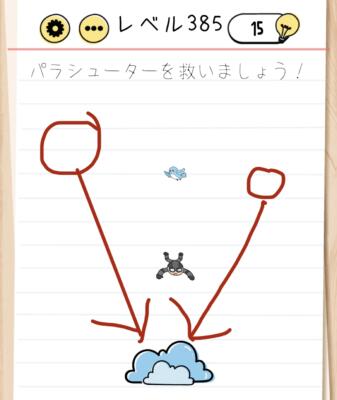
Drag the clouds on the left and right to align them in shape and position with the cloud below.
📝 Step-by-Step Solution
- Observe the screen and confirm that there is a cloud on the left, right, and bottom.
- First, drag the cloud on the left by tapping and holding it with one finger and move it over the cloud at the bottom.
- Adjust the position so that the left cloud fits perfectly on the bottom cloud. Find a spot where the clouds overlap and their shapes and positions match.
- Next, drag the cloud on the right in the same way, moving it to overlay the empty side of the bottom cloud.
- Align the right cloud with the bottom cloud, making the three clouds look like one big cloud at the correct position.
- When the left and right clouds are perfectly aligned with the bottom cloud, the stage will clear automatically.
💡 Hints
- The clouds are objects that can be moved by dragging, not tapping.
- The instruction to "align" means overlaying them in the same position or making them appear the same shape.
- Instead of using the left and right clouds separately, try moving them to the bottom cloud and think of combining them into one image.
- By finely adjusting the position to make the three clouds look like a connected single cloud, you can meet the clear condition more easily.
🧠 Analysis & Key Points
This stage looks simple, but it is a puzzle where the nuance of the Japanese word "align" is the key. Many players look for a gimmick to change the shape or size of the clouds, but in reality, you just need to align and overlay their positions. In Brain Test, when expressions like "make the same" or "align" appear, often it's solved by just overlaying or aligning objects. This level belongs to that pattern and can be solved with drag operations only, without special gestures (like pinching in or out, shaking, etc.). Once you realize all three clouds on the screen are movable objects, it naturally leads to a thought of "let's move them to the bottom cloud." From there, it's just a matter of fine-tuning the position to clear it.
🔍 Common Mistakes
- Trying to activate a gimmick by just tapping the clouds, which does nothing.
- Attempting to change the size of the clouds with pinch-in/pinch-out operations using two fingers.
- Expecting changes in weather or cloud state by shaking or tilting the device up and down.
- Attempting to move the bottom cloud without realizing that the top two clouds should be moved and aligned.
- Not fully overlaying the clouds but thinking "this should be correct" and getting stuck without a result.
🎉 Post-Clear Advice
When the three clouds are neatly aligned to look like one large cloud, the stage clears, and you'll realize that the instruction to "align the clouds" only required positioning them. This level reaffirms that simple concepts like overlaying or aligning objects are important.